Residents and Clinicians as Teachers Modules

For more information about the modules, contact: Stacey Pylman, PhD at pylmanst@msu.edu

For more information about the modules, contact: Stacey Pylman, PhD at pylmanst@msu.edu
In the midst of the pandemic, with teaching and many other parts of life disrupted, Randi Stanulis decided it was time to rekindle the joy that College of Human Medicine faculty members find in helping students grow and succeed.
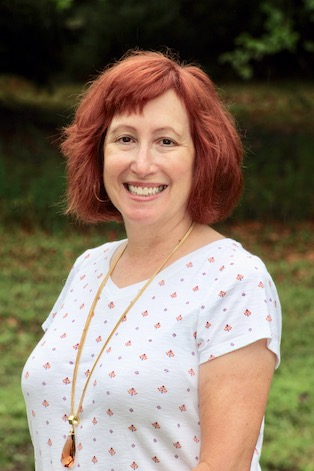
“I know that coming out of the pandemic, we found that many of us were experiencing burnout and people feeling we were stretched too thin,” said Stanulis PhD, assistant dean for faculty development and director of the college’s Office of Medical Education Research and Development (OMERAD).
“It made me think we needed to do something about it.”
Thus, a year ago was born Finding Joy in Teaching, an honorific program based on the belief that the best teachers love what they do. Research shows that the most effective teachers not only like what they do, but are flexible and focused on student growth, Stanulis said.
“There are a lot of people who say, ‘I teach biochemistry,’” she said. “I say, ‘No, you teach students about biochemistry. That shift is significant.”
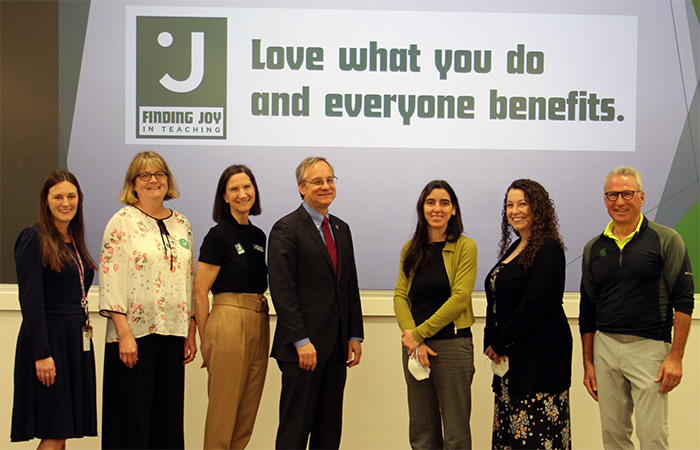
A year ago, College of Human Medicine department chairs and directors nominated faculty members known for their effective teaching skills and enthusiasm. Stanulis then led the recording of a series of 10 short audio presentations offering the honorees’ perspectives and suggestions on the joy of teaching. The episodes were posted online and celebrated at the inaugural Joy in Teaching reception, funded in part by the Dr. Ruth Allen Endowment in OMERAD.
The idea for this movement is “to elevate a culture where teaching effectiveness is valued and where peers can see what others are doing and be inspired by that,” Stanulis said, adding that it “really raised awareness to another level that teaching is joyful, is recognized, and is valued at the College of Human Medicine.”
While research is an important part of the college’s mission, skillful teaching is equally essential, she said.
In October, department chairs and directors will nominate a second cohort of faculty members to be recognized for their teaching excellence in Finding Joy in Teaching. Those chosen will add their perspectives to the audio series collection and will be honored in the spring. For most, it is clear through listening to their audio episodes, teaching is its own reward.
For 18 years, Stanulis was a professor in MSU’s Department of Teacher Education in the College of Education before becoming director of OMERAD.
“I enjoy the energy that comes from students when they are actively involved,” she said. “I enjoy their curiosity. I enjoy seeing them light up as they learn.”
 among screencast (recording what is displayed on your screen like PowerPoint; using software like Screencast-O-Matic or Camtasia), talking head (close-up shots of an instructor’s head), recording live training or demonstration, or using animations.
References
Active Learning is an approach with various methods/strategies for implementation. Listed below are active learning strategies that could work in medical education. For more description and examples from the SDC Curriculum, click the name of the strategy.
Case-based learning requires students to apply their knowledge to reach a conclusion about an open-ended, real-world situation. Provide students with a case, asking them to decide what they know that is relevant to the case, what other information they may need, and what impact their decisions may have, considering the broader implications of their decisions. Give small groups of 3-4 students time to consider responses, circulating to ask questions and provide help as needed. Provide opportunities for groups to share responses. Case-based learning example
When a question or case is posed, students discuss in groups of 3-4 for 5+ minutes. It is important that the question or case is difficult enough that group members need to spend considering what they know (from readings, experience, or data) and multiple options could be considered before coming to a conclusion. If there is not enough to discuss, and students are able to come to a conclusion quickly, the discussion will become flat quickly. Group discussion example
Find 2-3 concepts, or questions around a single topic. Put students in groups of 3-4 to work on their assigned concept/question. After groups have some time to work on it, they spend time teaching/explaining their ideas to the other group(s). Group Teaching (Jigsaw) example
When solving a problem, (e.g., logic or critical thinking) have students work out the problems themselves, by asking them to go to the whiteboard in small groups to solve problems. If there is insufficient whiteboard space, students can still work out problems as a group, using chart paper and markers. Work at the whiteboard example
After students have read or heard about an important principle, generalization, theory, or procedure, hand out an index card and ask students to write down at least one possible, real-world application for what they have just learned. (Why does this matter?)
Ask students to paraphrase part of a lesson for a specific audience and purpose, using their own words. (e.g. explaining a diagnosis to a patient) Direct paraphrasing example
A variation of the minute paper, asking for feedback about where students are still confused. Ask a question such as “What questions remain uppermost in your mind as we conclude this class session?” Muddiest point example
At the end of the discussion, have students summarize the overall concepts in a one-sentence format: What, how, why?
In order to promote active listening, after one student has volunteered an answer to your question, ask another student to summarize the first student's response. Given the possibility of being asked to repeat a classmates' comments, most students will listen more attentively to each other and promotes the idea that learning is a shared enterprise.
Students are asked to "act out" a part. In doing so, they get a better idea of the concepts and theories being discussed. Role-playing exercises can range from the simple (e.g., "How would you introduce yourself to a patient?”) to the complex (after a student details a clinical experience that appears to have some ethical issues for how to treat patients, you ask partners to role play how they would address the situation. Role playing example
Ask students a question that requires higher order thinking (e.g., application, analysis, or evaluation levels within Bloom’s taxonomy). Ask students to think or write about an answer for one minute, then turn to a peer to discuss their responses for two minutes. Ask groups to share responses and follow up with instructor explanation if needed. Think-pair-share example
A quicker version of think-pair-share, ask students a higher-order thinking question and ask them to talk about it with a neighbor for 1-2 minutes before asking pairs to share out their thinking to the whole group. Turn-and-talk example
Present students with a grid made up of several important categories and a list of scrambled terms, images, equations, or other items. Ask students to quickly sort the terms into the correct categories in the grid. Ask volunteers to share their grids and answer questions that arise. Categorizing grids example
Concept maps are visual representations of the relationships between concepts. Concepts are placed in nodes (often, circles), and the relationships between indicated by labeled arrows connecting the concepts. To have students create a concept map, identify the key concepts to be mapped in small groups or as a whole class. Ask students to determine the general relationship between the concepts and to arrange them two at a time, drawing arrows between related concepts and labeling with a short phrase to describe the relationship. Concept map example
This activity requires students to categorize concepts according to the presence (+) or absence (-) of important defining features. Defining features matrix example
Ask students to predict the result of a demonstration, briefly discussing with a neighbor. After demonstration, ask them to discuss the observed result and how it may have differed from their prediction; follow up with instructor explanation. Demonstrations example
This is a two-dimensional diagram, a rectangle divided into rows and columns used to organize information and illustrate relationships. In a memory matrix, the row and column headings are given, but the cells are left empty for students to fill out during class as they learn. Memory matrix example
Ask students to jot down quick lists of pros and cons related to a topic. Pro and con grid example
Give students the steps in a process on strips of paper that are jumbled; ask them to work together to reconstruct the proper sequence. Strip sequence example
Mini-maps are like concept maps, but students are given a relatively short list of terms (usually 10 or fewer) to incorporate into their map. To use this approach, provide students a list of major concepts or specific terms and ask them to work in groups of two or three to arrange the terms in a logical structure, showing relationships with arrows and words. Ask groups to volunteer to share their mini-maps and clarify any confusing points. Visual modeling (Mini-maps) example
HOW SHOULD YOU START?
Start small, start early, and start with activities that pose low risk for both instructors and students. The minute papers, turn-and-talk, think-pair-share, and one sentence summaries technique provide easy entry points to incorporating active learning approaches, requiring the instructor to change very little while providing students an opportunity to organize and clarify their thinking. As you begin to incorporate these practices, it’s a good idea to explain to your students why you’re doing so; talking to your students about their learning not only helps build a supportive classroom environment, but can also help them develop their metacognitive skills (and thus their ability to become independent learners).
Description: When solving a problem, (e.g., logic or critical thinking) have students work out the problems themselves, by asking them to go to the whiteboard in small groups to solve problems. If there is insufficient whiteboard space, students can still work out problems as a group, using chart paper and markers.
Benefits: This activity helps students apply what they have learned through reading or didactic teaching. This approach can strengthen students’ logical thinking processes and test their mental model of a process or equation. The activity can be done in pairs or groups.
Examples: